The Unit
The Neighborhood
Dear Guest,
Welcome to Estancia Las Margaritas. We’re beyond excited to have you!
We’ve really enjoyed renting Las Margaritas to travelers like yourself. It’s a great spot to discover the city from. We are certain that you are going to love walking around the neighborhood and discover special places in the vicinity.
In this manual, you’ll find lots of useful information that we’ve compiled to help our guests make the most of their stay. From instructions on how to use the appliances to recommendations for nearby restaurants and shopping areas, we’ve got it all covered.
We hope that you enjoy the place.
Have a great stay!
Sincerely,
Susana, Eduardo y Jesús
Emergency Information
Should you encounter any sort of emergency during your stay, please contact the local authorities immediately.
- Cruz Roja: 065 or 924-9813
- Asistencia Vial (Angeles Verdes): 983-1184
- Ayuntatel (Ayuda del Ayuntamiento de Mérida): 924-4000 0 070
- Policia Municipal: 942-0060
- Bomberos: 924-9242 or 923-2971
Unit Rules
We kindly ask you to read our house rules carefully and keep them in mind during your stay.
1. No parties or events allowed.
2. No smoking allowed.
3. No pets allowed.
5. No unregistered guests allowed.
6. Please don’t eat or drink in the bedrooms.
8. Please turn off the AC when you go out.
9. Please respect check-in and check-out times.
10. Please take extra care of your keys. Lost keys incur a replacement fee of $50.
11. Please take care of the furnishings. You have to pay for damages that exceed the security deposit.
12. Please don’t rearrange the furniture.
13. Please do your dishes.
14. Please take the trash out before you leave.
15. No illegal substances allowed on the premises.
The Unit
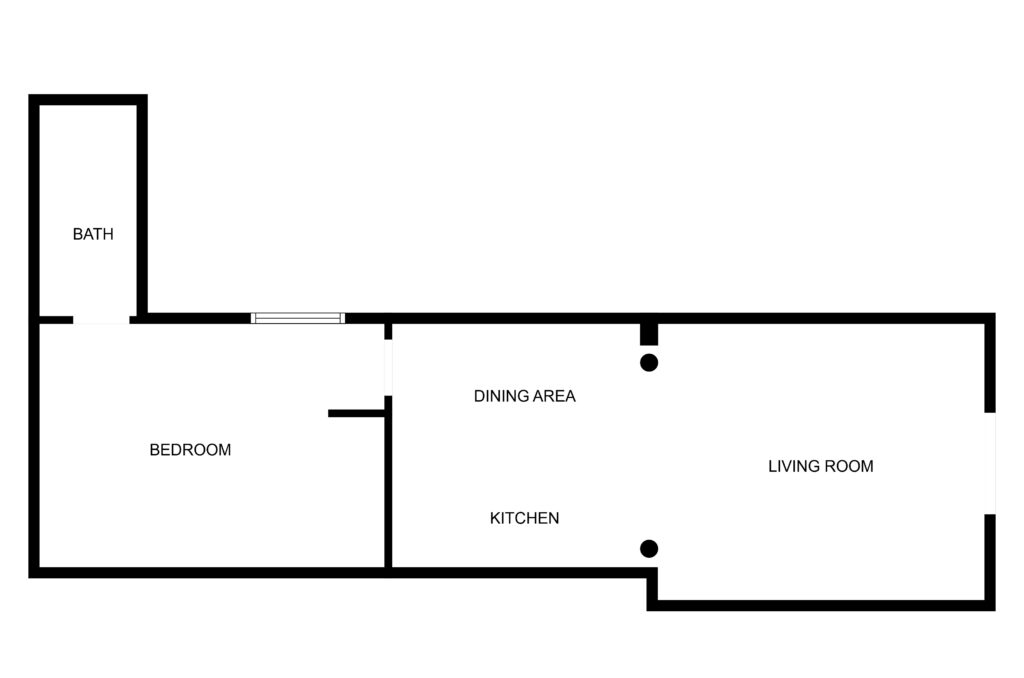
Parking
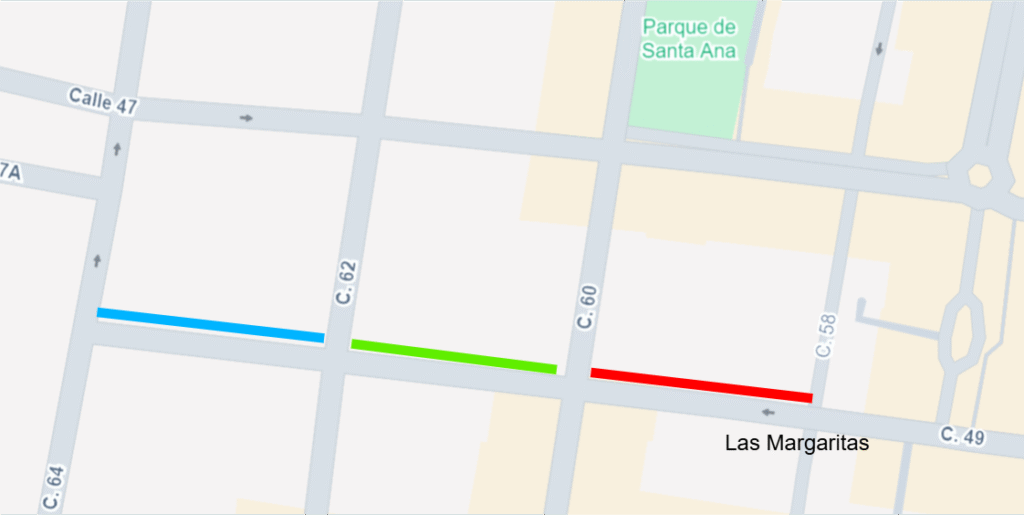
The apartment doesn’t’ have parking. Parking is not allowed in front of the apartment. You can park along Calle 49 between Calle 60 and Calle 62 (Green line) or Calle 49 between Callen 62 and Calle 64 (Blue line).
Trash
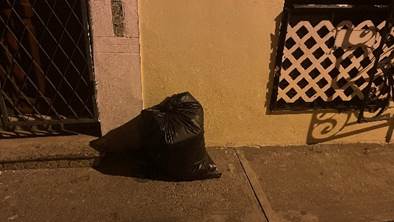
The garbage collection company collects the trash at night between 4:00 pm and 10:00 pm. You may leave the trash on the sidewalk (preferred) for the garbage collection company to collect your trash.
You may leave the trash on the sidewalk (preferred) for the garbage collection company to collect your trash.
Recycling? to be honest, it is very confusing. We have read the instructions several times and it is recommended to separate organic and inorganic trash. But not sure if you need to use different colors of bags. So, what you can do is put the organic and inorganic in a different bag. We think it goes to the same place…..
Sewer System
Merida has no municipal sewer system. Each house and business uses a septic tank. Septic tanks are prone to clogging and overflowing when anything other than human waste is flushed down the toilet. To protect the watershed and prevent backups, please avoid flushing paper and other materials down the toilet.
In Merida, you will always see a waste basket beside a toilet. That basket is a gentle reminder to deposit bathroom tissue and other material in the basket rather than flushing it. We’d be grateful if you’d do that here, too.
Pasta tiles
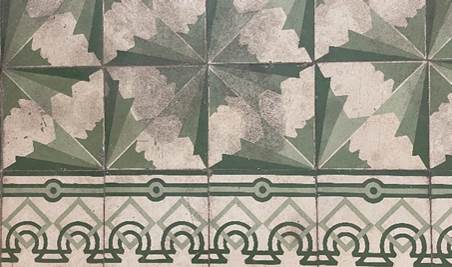
The property has original handmade pasta tiles. They are more than 100 years old. Some tiles have suffered some deterioration and stains because of their use over time. if you want to mop the surface, feel free to mop as you normally will mop other tiles.
Mamposteria
The walls of the property are over 100 years old and were build with a combination of rough-hewn limestone and plaster called mamposteria. Mamposteria walls was a very common feature of colonial homes in the Yucatan that had high ceilings and thick walls. This type of walls retain water and damages like peeling paint or plaster paint can usually be seen in the bottom 1/3 of the mamposteria walls. We continuously paint the walls, but is a never ending story
Appliances
Wifi
The property has several routers. They name of the networks start with Margaritas and they use the same password: Margaritas2021
Air Conditioning
The A/C unit is a mini split. You can adjust the temperature of the Air Conditioning using the thermostat. Please try to keep it between 70 Fahrenheit (21 Celsius) and 78 Fahrenheit (26 Celsius) degrees.
Two requests:
- When the A/C is on, keep the door of the room closed. That A/C unit doesn’t have the capacity to cool the rest of the apartment.
- Turn off the A/C when you are not in the apartment.
NOTE: the mounted control is not a thermostat. Only a remote control.
The A/C temperature control:
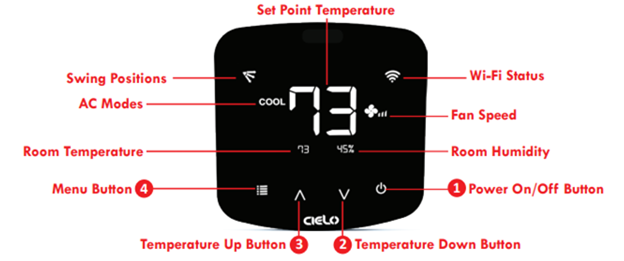
Operations:
Changing the mode of your AC:
Touch the menu button once. The AC modes will start blinking. Use the up or down button to select the mode (e.g. Cool, Heat etc.). Your selected mode is set.
Changing the fan speed:
Touch the menu button twice. The fan speed icon will start blinking. Use the up or down button to change the fan speed. Your selected fan speed is set.
Adjusting the swing position:
Touch the menu button thrice. The swing position icon will start blinking. Use the up or down button to select the swing position. Your selected swing position is set.
Changing multiple setting in one go:
You can set mode, swing position & fan speed in one go. Touch the menu button once and select the mode of your choice. Touch the menu button again and adjust the fan speeds. Touch the menu button again and select the swing position. All your settings are completed in one go.
Roku TV
The TV is a Roku TV. Normally, we leave the Roku in the Guest Mode. The Guest Mode enables users who sign in to enter their credentials and to be removed on a certain date. In this mode, the Roku will remember their Netflix login for a week if you choose that duration, at which point those details will automatically be removed.
Hot Water and Water Heather
Here are some directions on how to control the hot water in the shower:
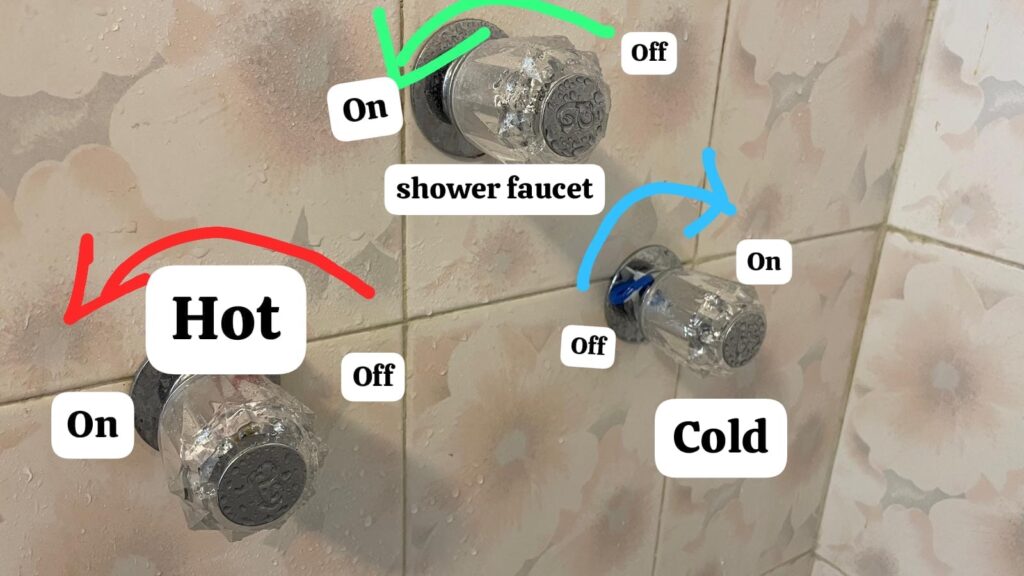
The apartment has an electric water heater. It heats the water very quickly, in approximately 10 minutes. You can turn it on and off as needed, or leave it on continuously, whichever is more convenient for you.
The water heater is located in service patio near the kitchen.
Here is the water heater breaker:
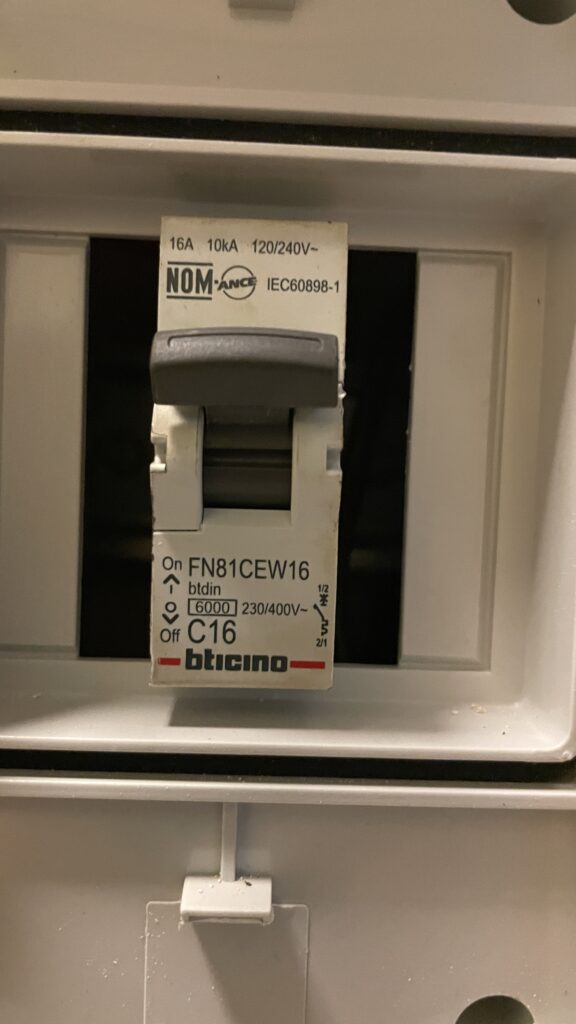
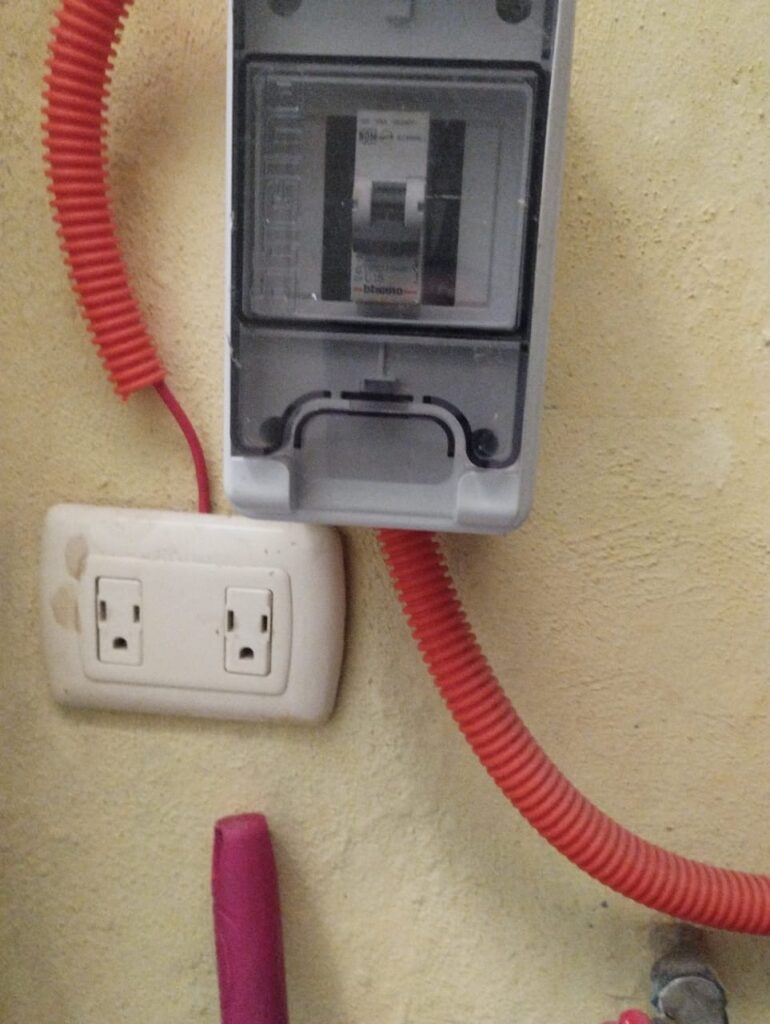
Water Dispenser and Bottles of Water
The water of the house comes from the public water supply system. To drink, we recommend purified water. A convenient way to access purified water is with 5 gallows bottles. The apartment has bottles that you can exchange for new bottles. Let us know if you want the name of the person that takes bottles to the apartment. You need to pay for the water and a tip is you like.
The water dispenser goes on top of the bottle like this:
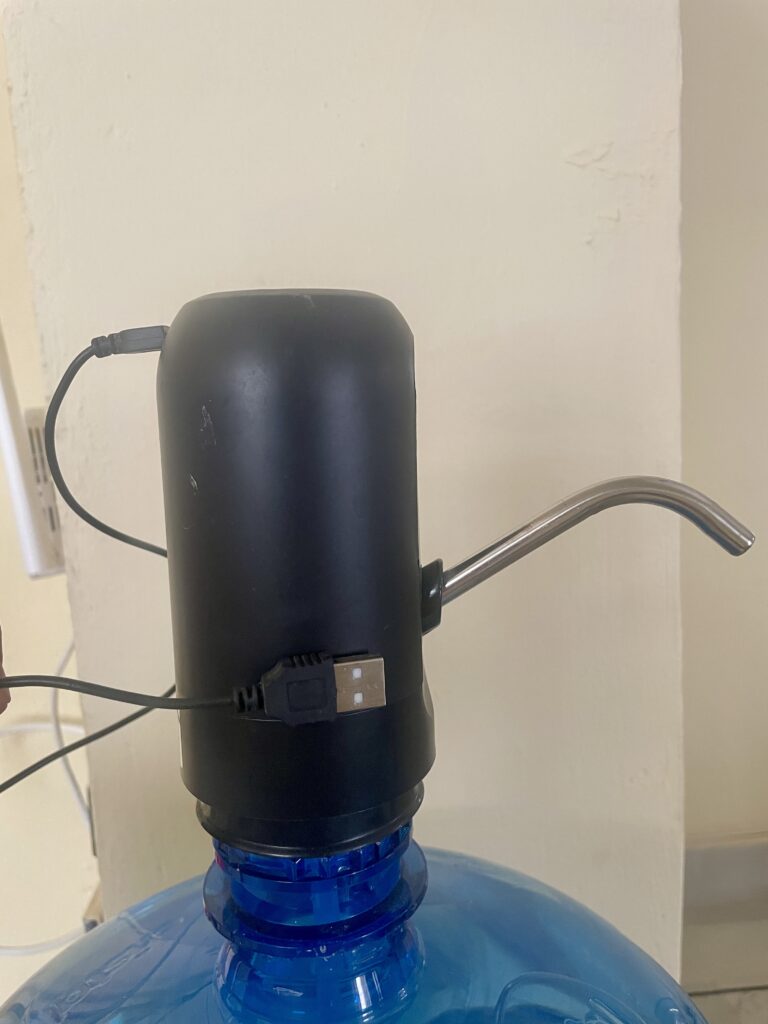
You can charge the dispenser with any USB charger.
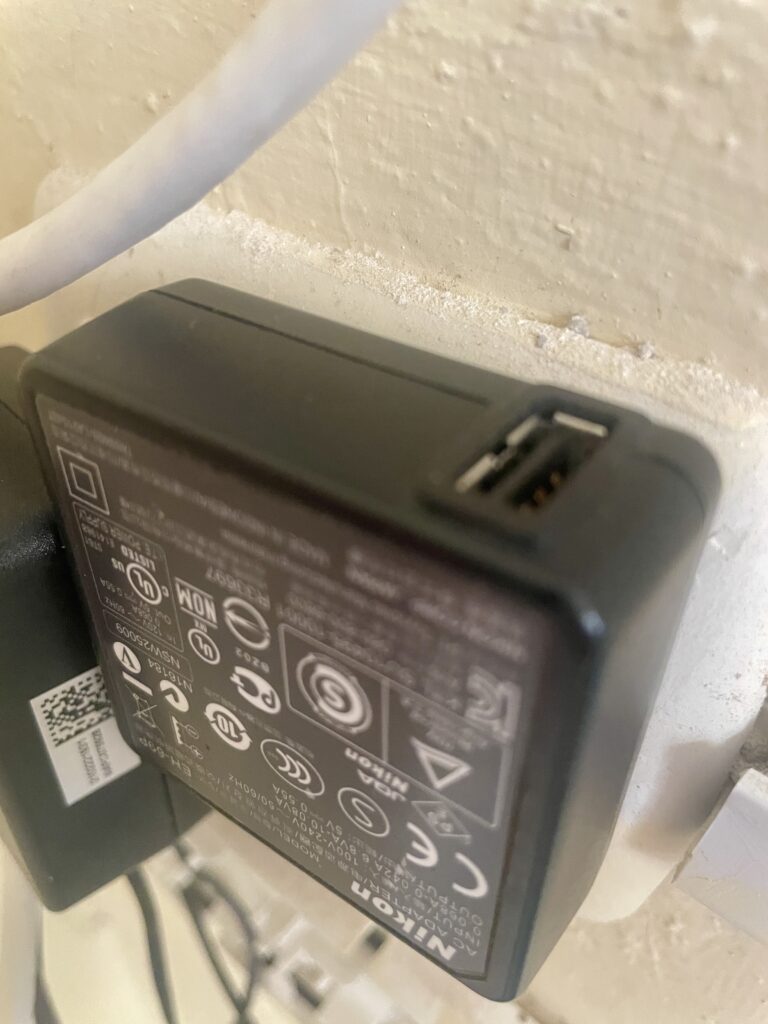
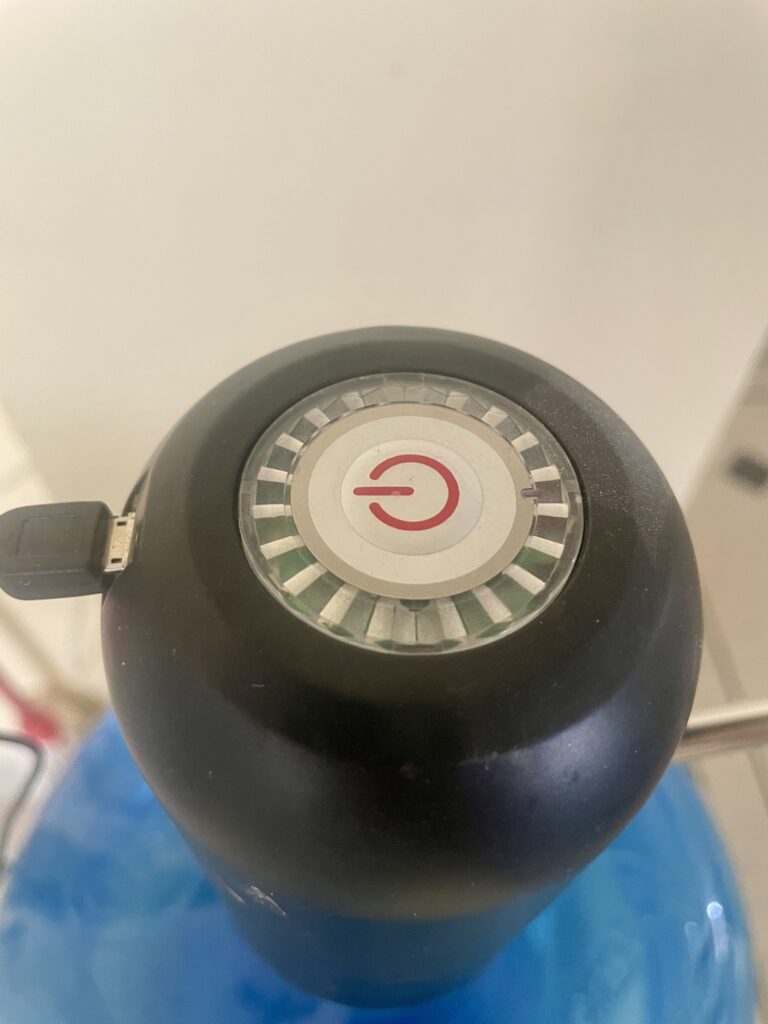
Make sure that the connection is attached and that the button turn red for charging.
Stove
The stove is a one burner induction cooktop. Induction cooktops look quite similar to standard glass-top electric cooktops, but an induction stovetop uses electromagnetic waves to heat cookware, essentially turning your pots and pans into their own heat source.
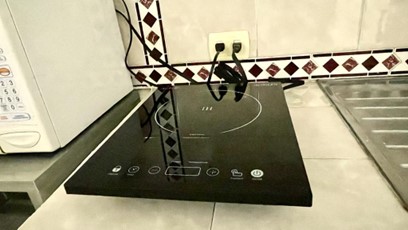
The system is highly efficient, allowing for precise control and a rapid rise or drop in temperature. This temperature control typically leads to faster heating, especially during more time-consuming tasks such as boiling water.
Cast iron, enameled cast iron, and many types of stainless-steel cookware are all induction compatible.
Aluminum, all-copper, or glass cookware will not work unless they have a layer on the bottom with magnetic properties.

Buttons:
- Power indicator light
- Temperature indicator light
- Child safety lock
- Timer button
- «-» button
- Display window
- «+» button
- Function selection button
- On/Off button
Operating Instructions:
- Place the induction cooktop on a dry and level surface.
- Add food to the cookware.
- Place the cookware within the circle indicated on the induction cooktop surface.
- Plug the power cord into a 120V outlet. The unit will beep and the On/Off button indicator light will flash.
- Press the On/Off button to turn on the unit.
- Press the function selection button to switch to power mode, the power indicator light will turn on and the display window will show «1200», indicating the default power. Press the «+» or «-» button to increase or decrease the power level.
- Note: There are a total of 9 power levels (P1: 100W, P2: 300W, P3: 600W, P4: 800W, P5: 1000W, P6: 1200W, P7: 1400W, P8: 1600W, P9: 1800W).
- Press the function selection button again to switch to temperature mode. The temperature indicator light will turn on and the display window will show the default temperature of 380°F. Press the «+» or «-» button to increase or decrease the temperature.
- Note: There are a total of 8 temperature levels (140°F, 180°F, 260°F, 300°F, 340°F, 380°F, 420°F, 460°F).
- Press the timer button to set the timer. The display window will show the default time of «0:30», and the timer indicator light will turn on. Press the «+» or «-» button to adjust the timer. Once the desired period is selected, press the timer button again or wait 5 seconds to set the new timer. The display window will now alternate between the timer and power level (or timer and temperature level if in temperature mode). When the programmed time has elapsed, the induction cooktop will beep once and shut off automatically. Note: If at any time during the cooking cycle you would like to cancel the timer, simply press the timer button again.
- Press and hold the child safety lock for 3 seconds to access the child safety lock function, and the child lock indicator light will turn on. Only the child safety lock and On/Off buttons can be used at this time. Press and hold the child safety lock button for a further 3 seconds to cancel the lock function and return the cooktop to normal.
- Press the On/Off button to turn off the unit when cooking is finished.
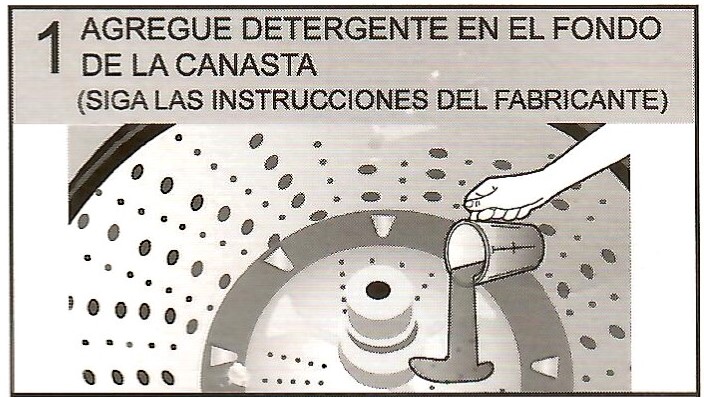
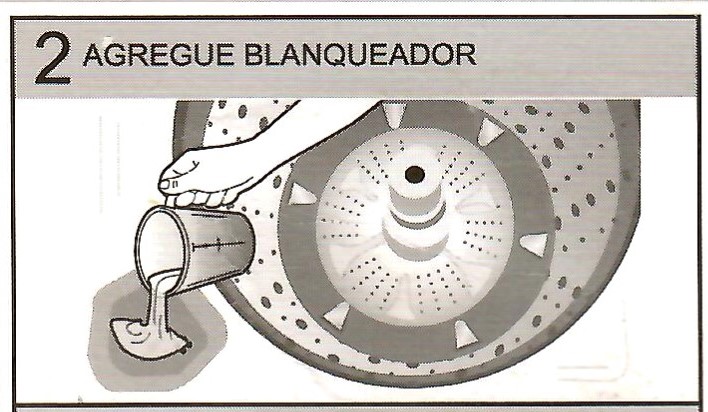
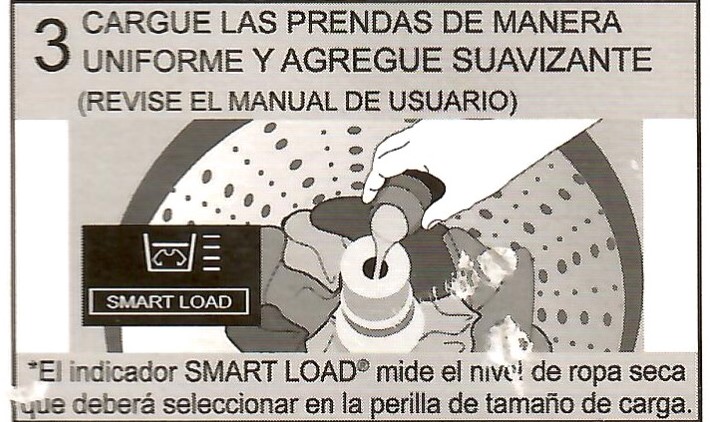
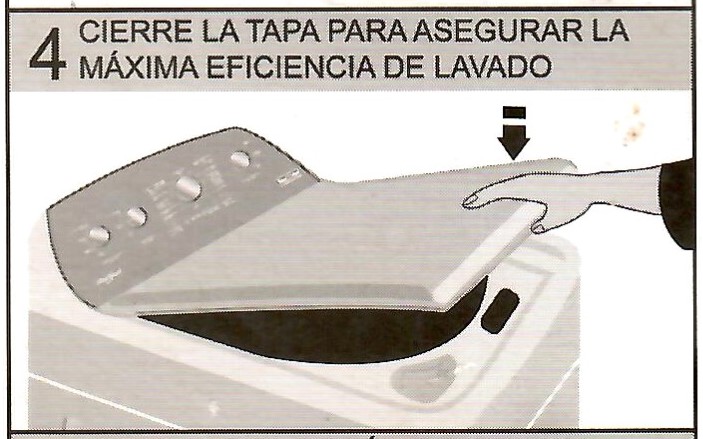
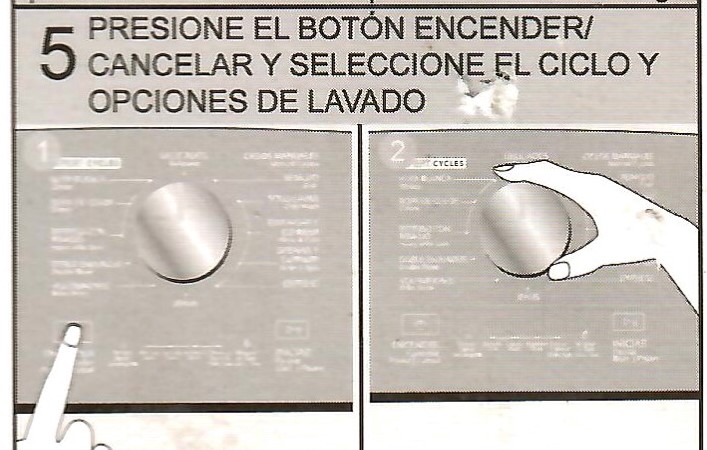
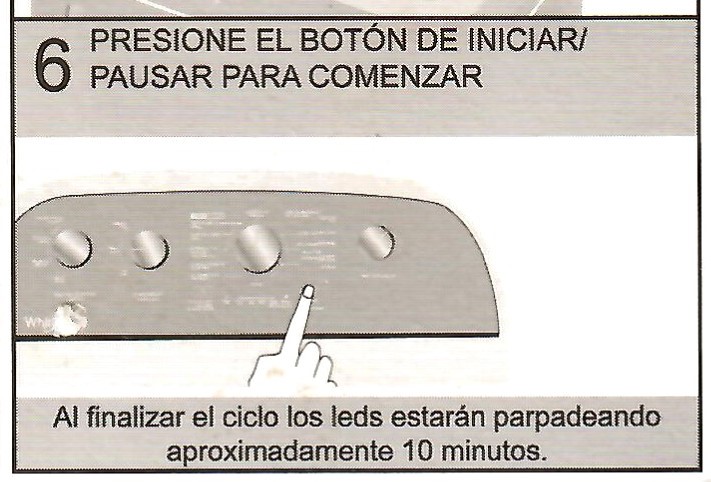
Washing Machine
Timer
We have one light that turn on/off using a timer. We like to arrive home, and the lights are on. If you prefer, I could turn them off or change the times that they come on or off. Both of those lights are at the entrance. The timer looks like this:
The Neighborhood
Restaurants
Cafetería Impala
A spot for locals and visitors. Great sandwiches and location to “see” people go by. Better for the afternoon or night. They are open late.
Manjar Blanco
Excellent regional food. Great service.